The first chatbot inboxwith human takeover for n8n.
See every conversation. Jump in when bots fail. Give each client their own dashboard — without building one.
Free plan · No credit card · 2 community nodes + dashboard
Sound familiar?
Execution Log Archaeology
Open n8n. Click Executions. Click a message. Click the next one. Try to figure out who said what. Repeat for every conversation. Every day.
That's not monitoring. That's an archaeology project.
The Bot Went Rogue
Your bot quoted the wrong price to a customer. You watched it happen. Live. No way to jump in. No way to correct it.
Just sat there.
Two Answers, One Customer
Customer asks a question. You reply manually. The bot replies too. Now your customer has two messages saying different things.
On Messenger, this happens every time.
‘Can I See the Conversations?’
Your client asks for visibility into their chatbot. Your options: show them raw execution logs, build a custom dashboard (20 hours), or say “trust me.”
You’ve built that dashboard before. For the last client. And the one before that.
Two n8n nodes. One platform.
Install the community nodes in n8n. Connect with an API key. Every message flows into one inbox — grouped by conversation, not by execution.
Add to n8n in under a minute
Install in n8n
- Go to Settings > Community Nodes in your n8n instance
- Click Install
- Enter
n8n-nodes-trilox - Click Install
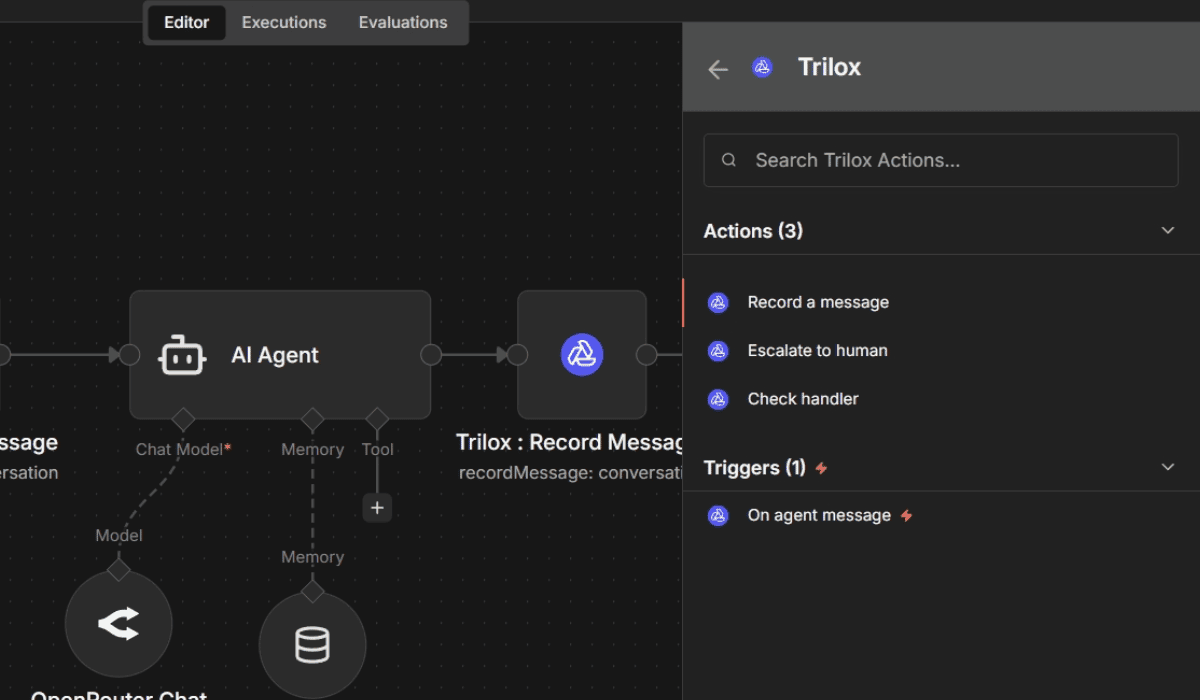
3 actions (Record a message, Escalate to human, Check handler) + 1 trigger (On agent message)
Every conversation in one place
Every message — visitor and bot — lands in a clean inbox. Conversations are grouped by contact, not scattered across execution logs. Even when 10 people message your bot at the same time.
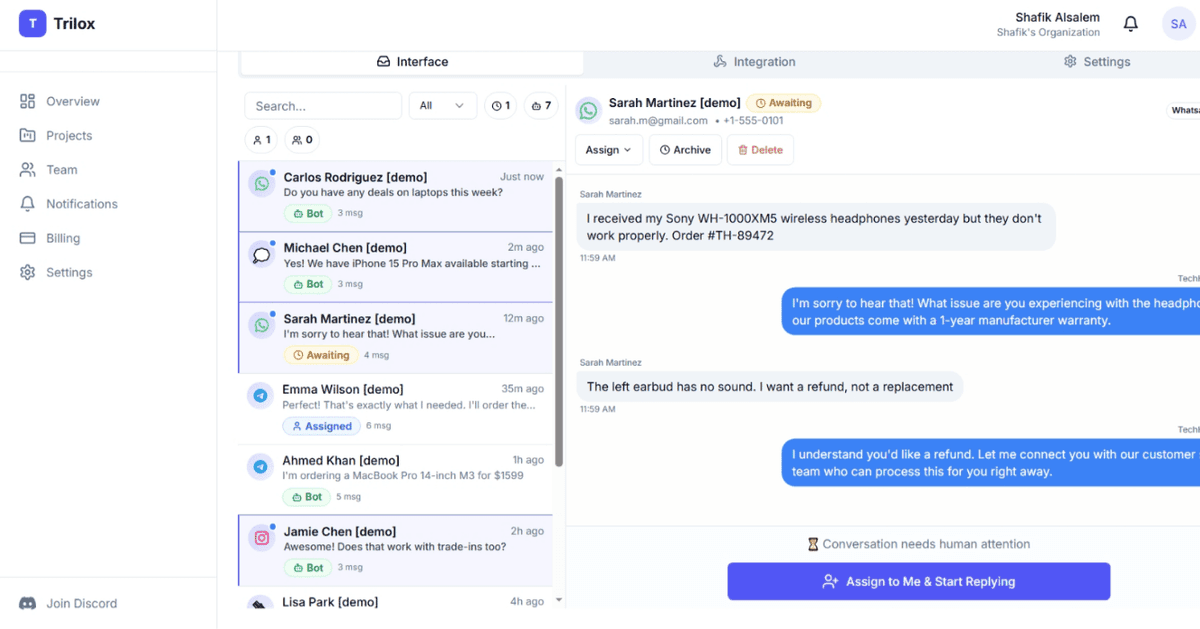
What you see.
Every client, every inbox, every conversation — from one place.
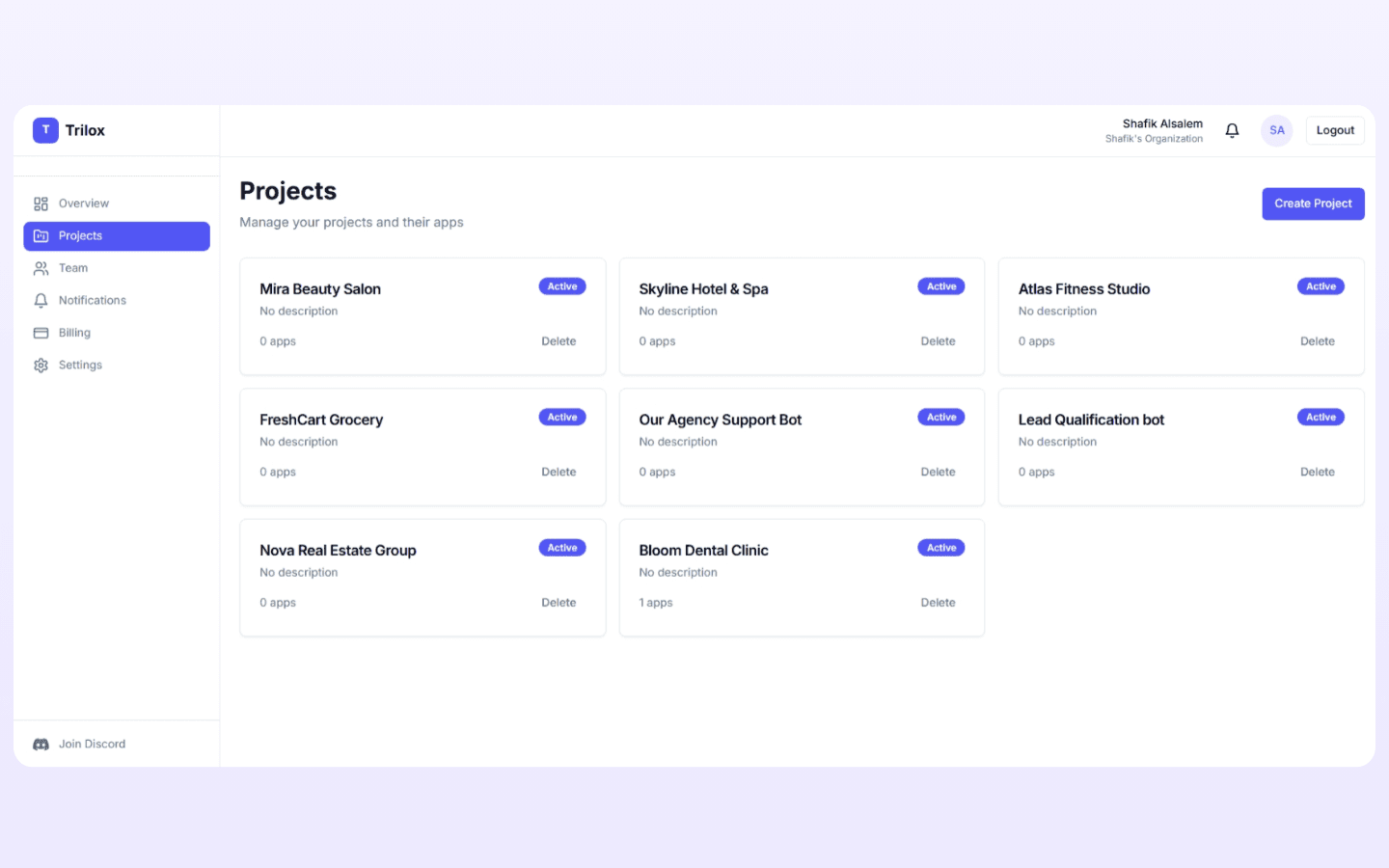
One project per client. All in one view.
Each client gets their own isolated project. Separate data. Separate API keys. Separate billing. Add a new client in seconds.
Mira Beauty Salon, Skyline Hotel & Spa, Atlas Fitness Studio, FreshCart Grocery, Nova Real Estate Group, Bloom Dental Clinic — each running independently with their own inboxes and settings. Whether you have 3 clients or 30.
One client. Multiple inboxes.
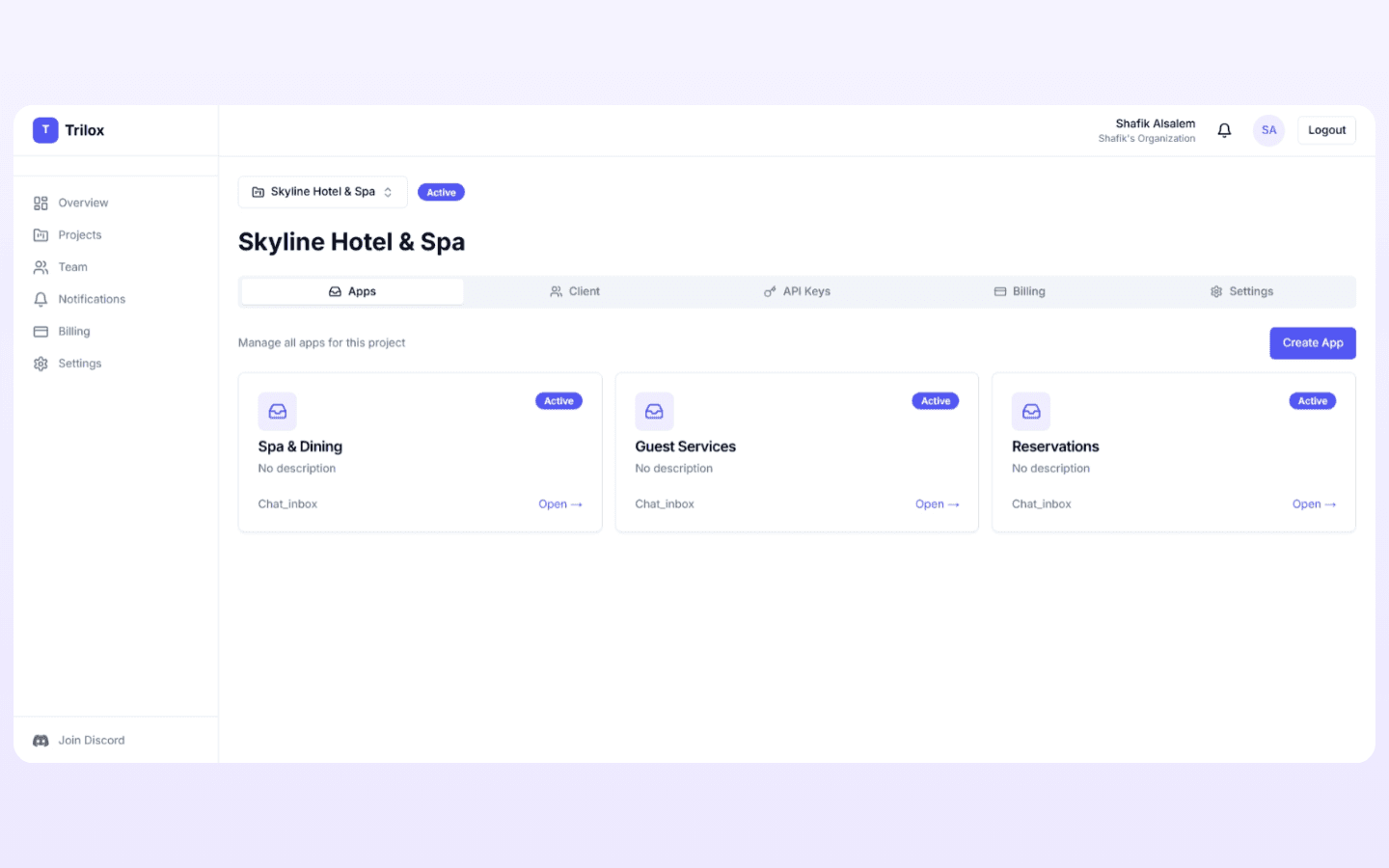
A hotel doesn't have one chatbot use case — it has three. Spa & Dining. Guest Services. Reservations. Each inbox has its own bot, its own channels, its own conversations. All inside one project.
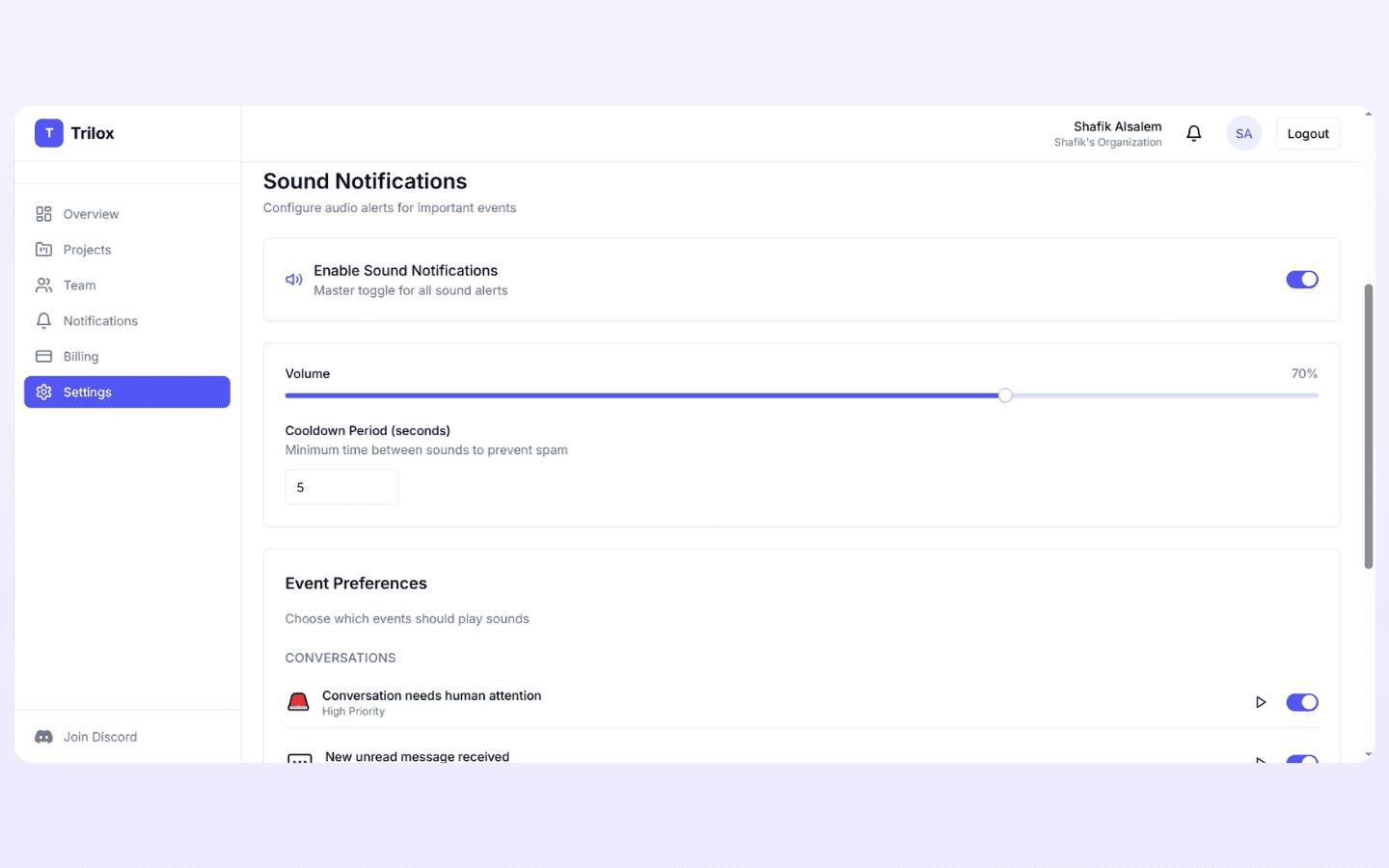
Configure sound alerts — volume, cooldown, and which events trigger a sound. “Conversation needs human attention” plays at High Priority.
Jump in when the bot can't handle it.
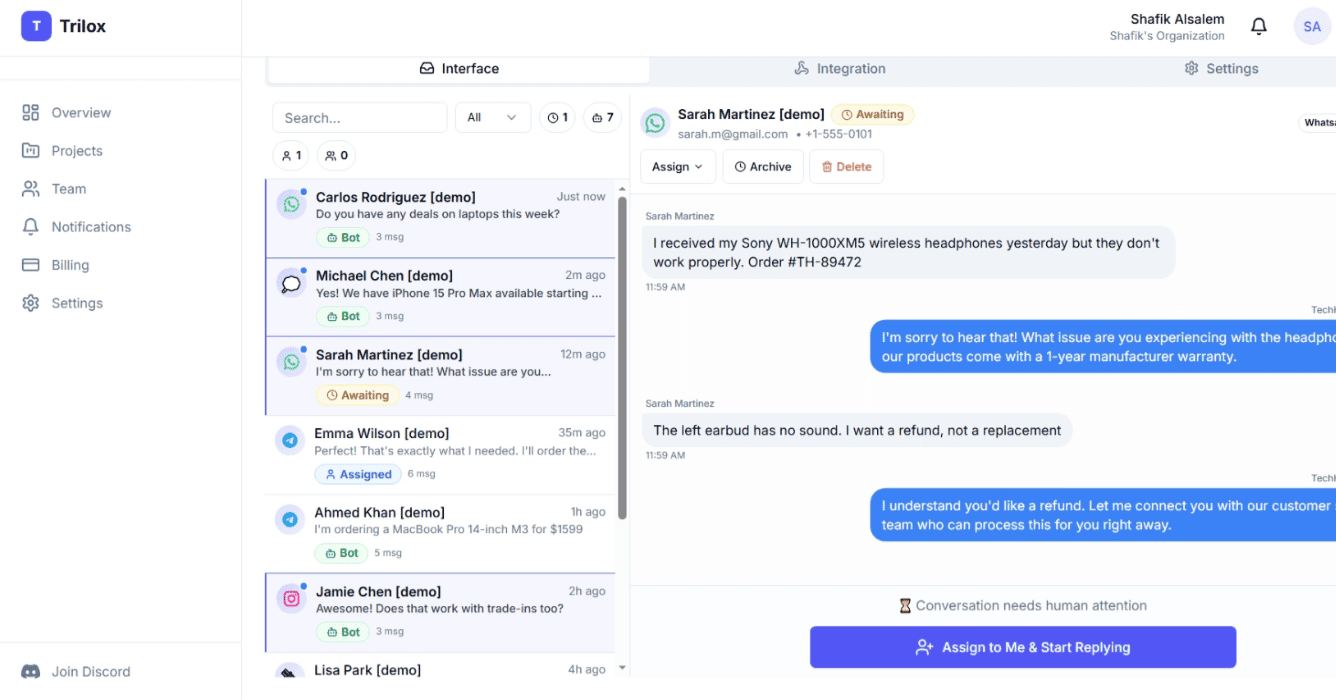
The bot escalates when it hits a wall — refund request, angry customer, something outside its scope. You hear a sound alert. You open the inbox. The conversation is right there with full chat history.
Click “Assign to Me & Start Replying.” You're now talking to the customer directly. The bot goes silent — no double replies. When you're done, hand control back.
Add your agency team.
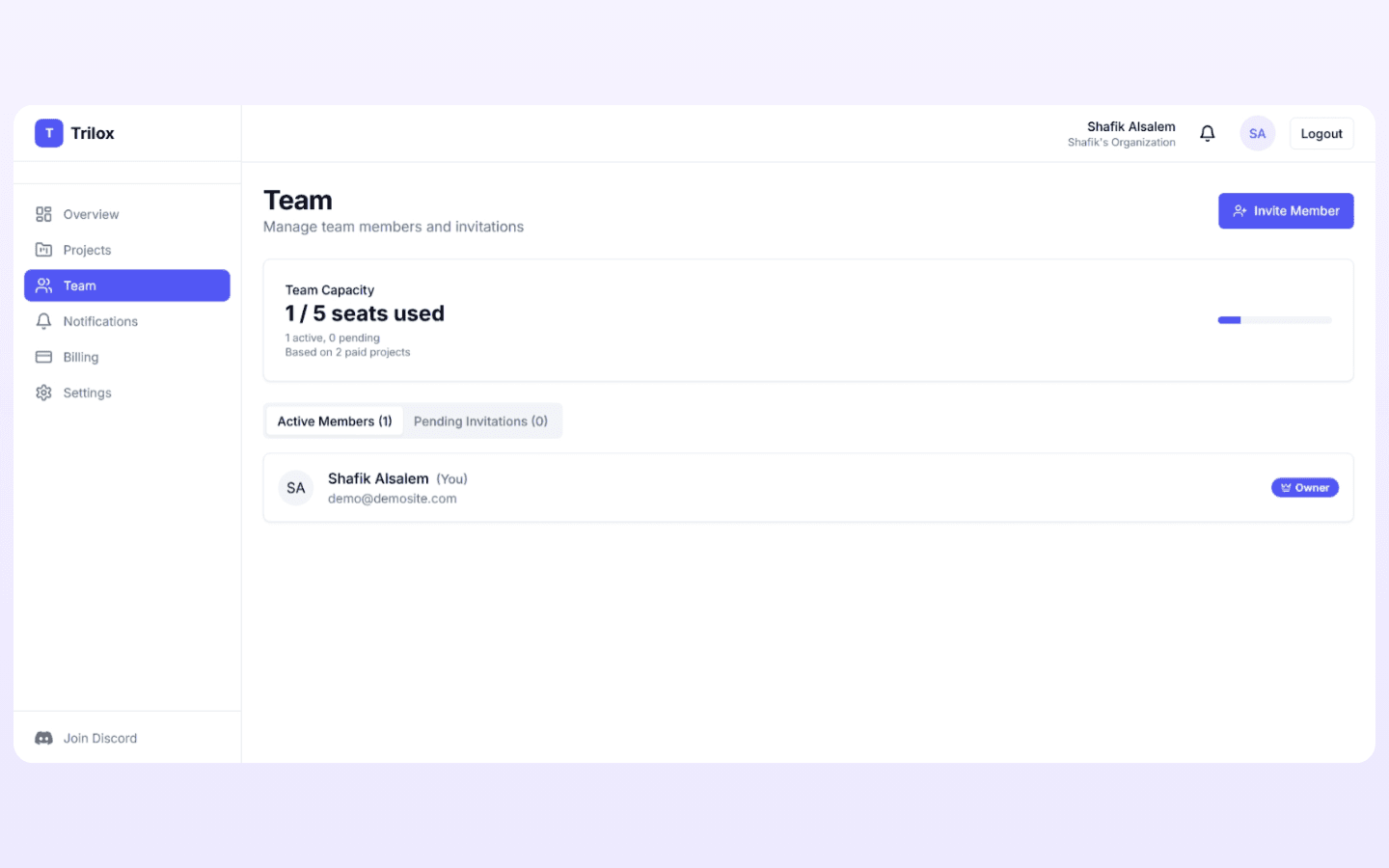
Invite team members to your organization. They get access to the projects you assign. Team capacity scales with your paid projects — 2 seats with 1 paid project, 5 seats with 2 or more.
That's your side. Now — what does your client see?
What your client sees.
One link. A complete system. No API keys, no technical clutter, nothing for you to configure.
Clean. Simple. Theirs.
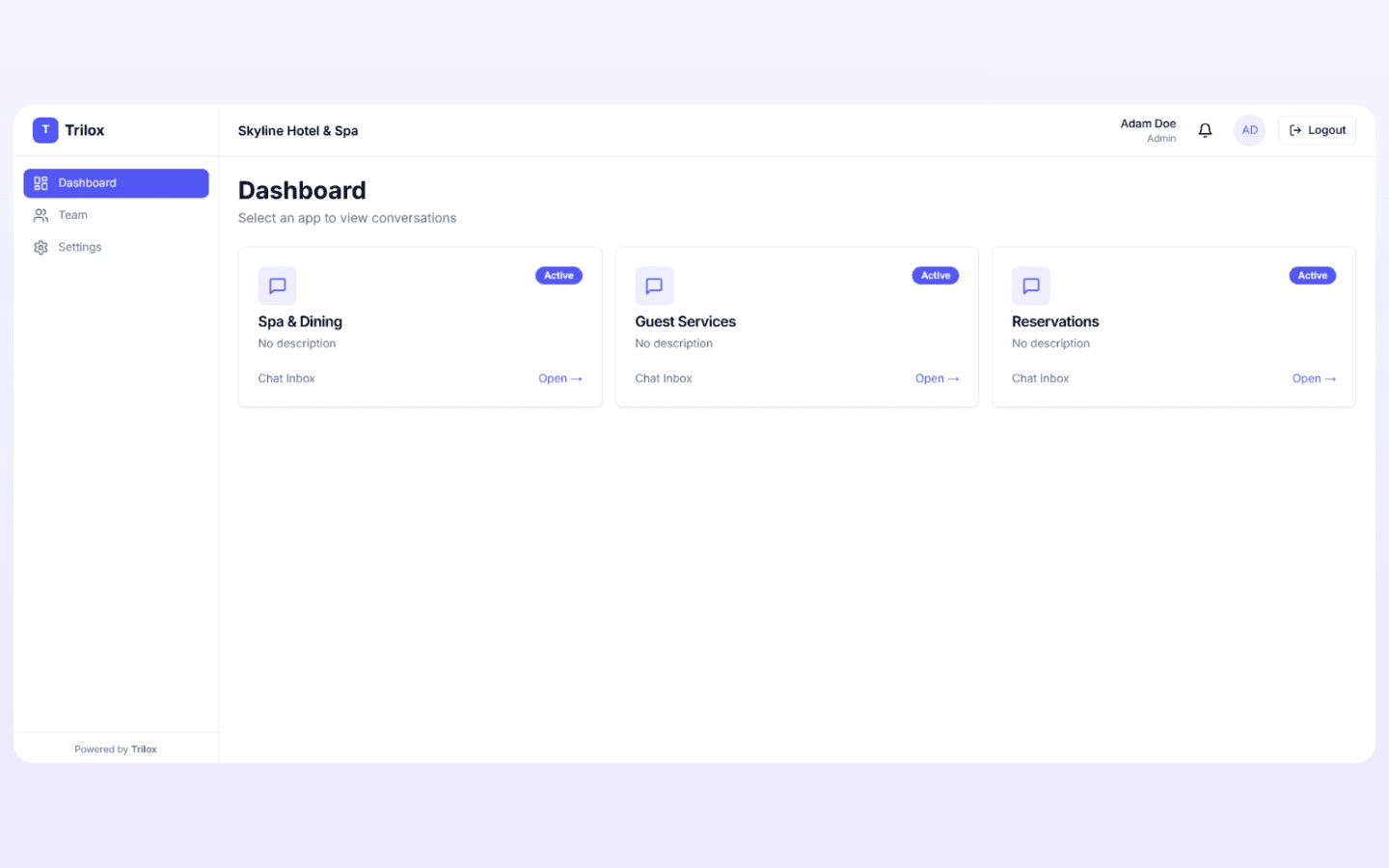
This is your client's view after they log in. Header says “Skyline Hotel & Spa.” Sidebar has three items: Dashboard, Team, Settings.
The main area shows their inboxes: Spa & Dining, Guest Services, Reservations. They click one, see their conversations, and start working.
No API keys. No integrations tab. No billing section. No settings they shouldn't touch. Just their inboxes and their conversations.
“Powered by Trilox” at the bottom. That's the only trace of you.
Ship it in under a minute.
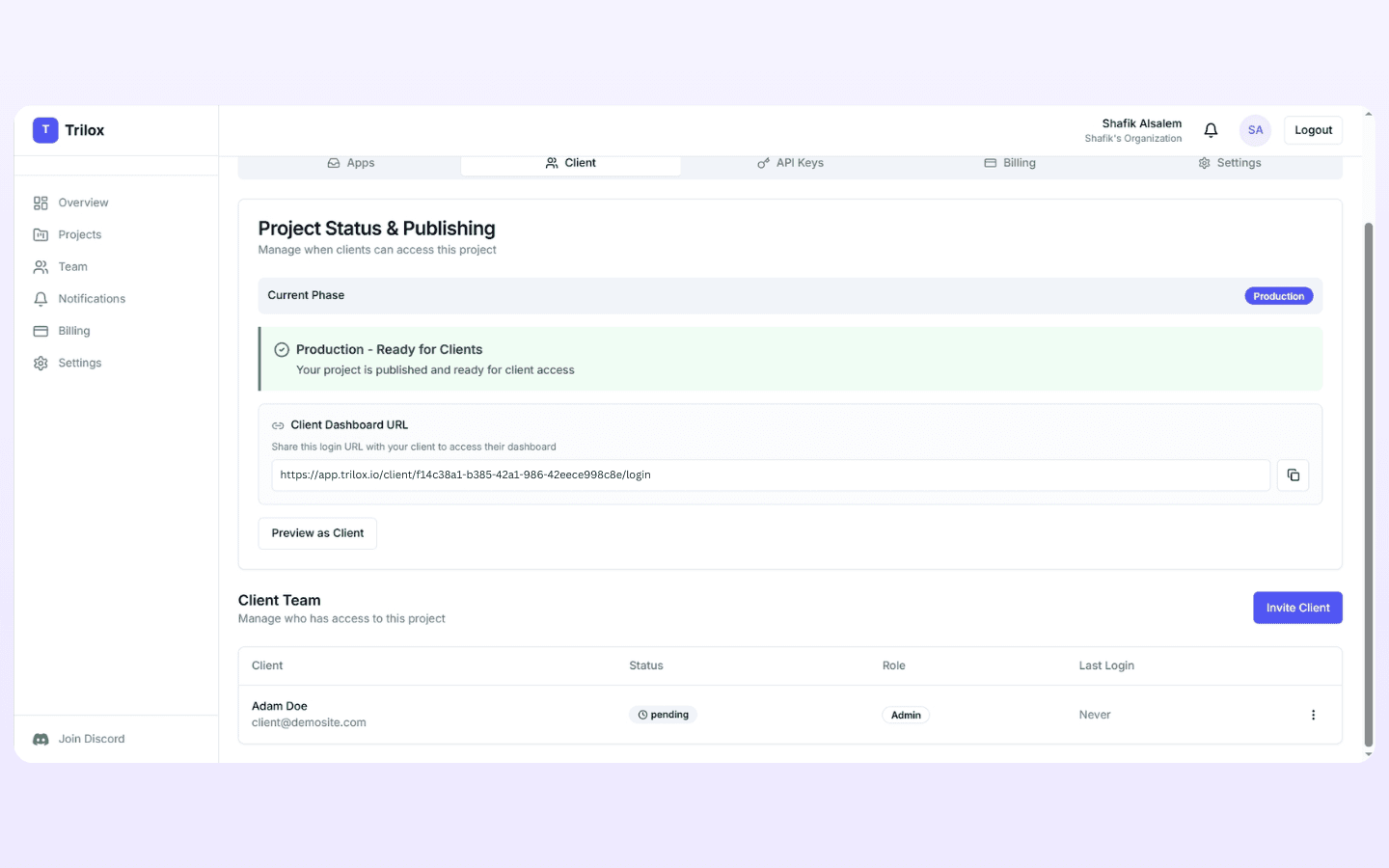
When your project is ready, the status turns green: “Production — Ready for Clients.” Copy the client login URL. Send it. Your client logs in and sees the dashboard above.
Hit “Preview as Client” to check what they'll see before you share.
The entire delivery: copy URL, send to client, they log in. That's it.
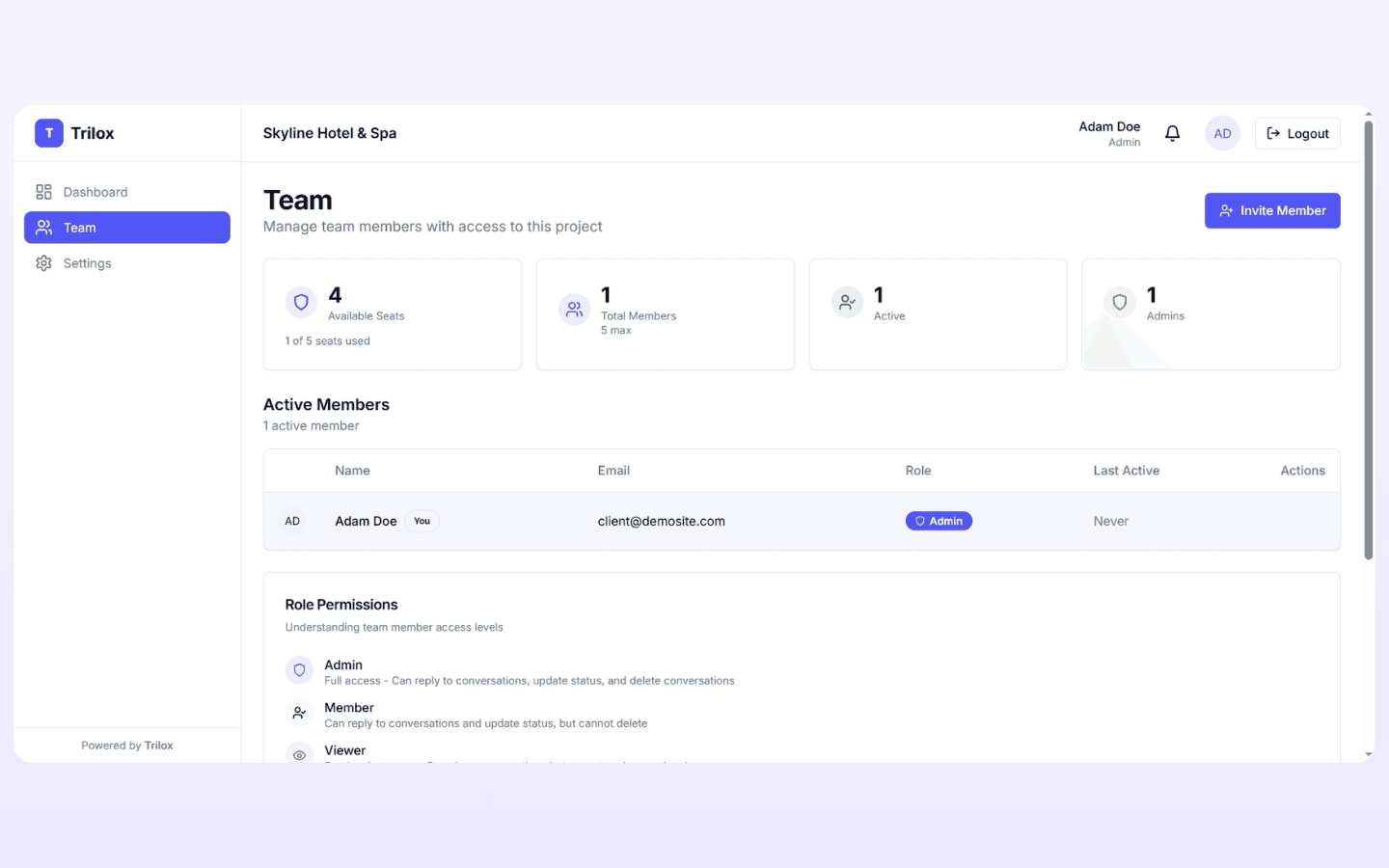
Your client manages their own team.
Your client invites their own people. They assign roles:
- Admin — Full access. Reply to conversations, update status, delete conversations.
- Member — Can reply and update status. Can't delete.
- Viewer — Read-only. Can see conversations but can't act.
A support manager gets Admin. Agents get Member. The CEO gets Viewer. Your client decides. You don't configure anything.
They choose how they get notified.
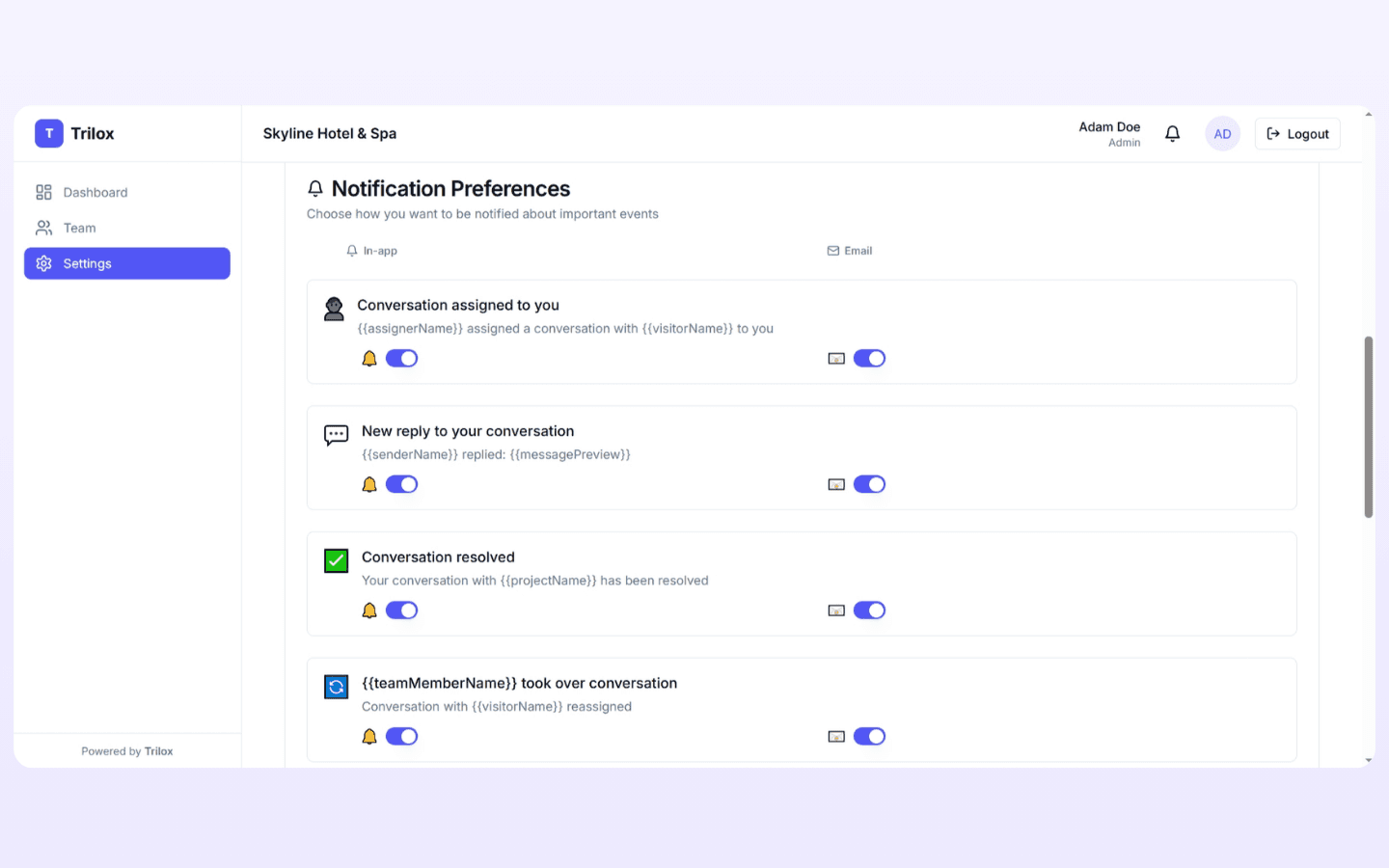
Your client controls their own notification preferences — four event types, each with in-app and email toggles:
- Conversation assigned to you
- New reply to your conversation
- Conversation resolved
- Team member took over conversation
Nothing for you to set up. They flip the switches they want.
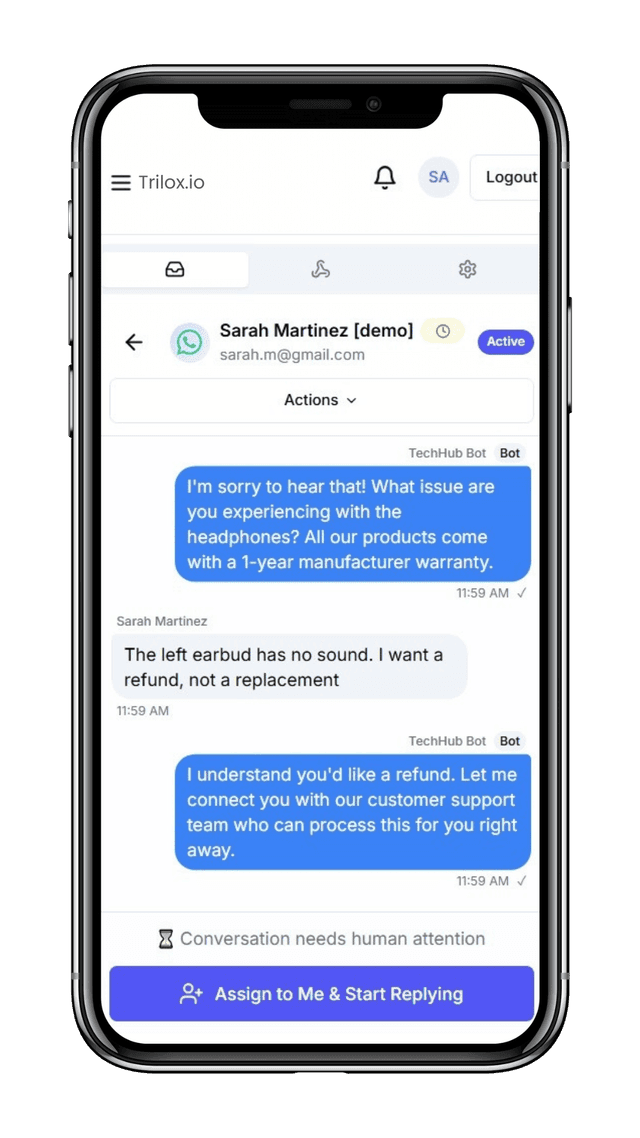
Same inbox. From a phone.
Your client can monitor conversations and reply from their phone. Same features. Same human takeover button. “Assign to Me & Start Replying” works on mobile too.
No app to install. Just open the URL.
Next time a client asks “Can I see the conversations?” — you send them a login link. Done.
Drops into your n8n workflow.
3 actions, 1 trigger. Works with any channel your n8n workflow already supports.
The Trilox Node
The Trilox community node gives you 3 actions and 1 trigger:
Record a message
Logs every message (visitor + bot) and groups them into conversations automatically.
Escalate to human
Flags the conversation for human attention. Shows as “Awaiting” in your inbox.
Check handler
Checks if a human is assigned. If yes — bot stays quiet. If no — bot responds normally.
On agent message
Trigger: fires when you reply from the Trilox inbox.
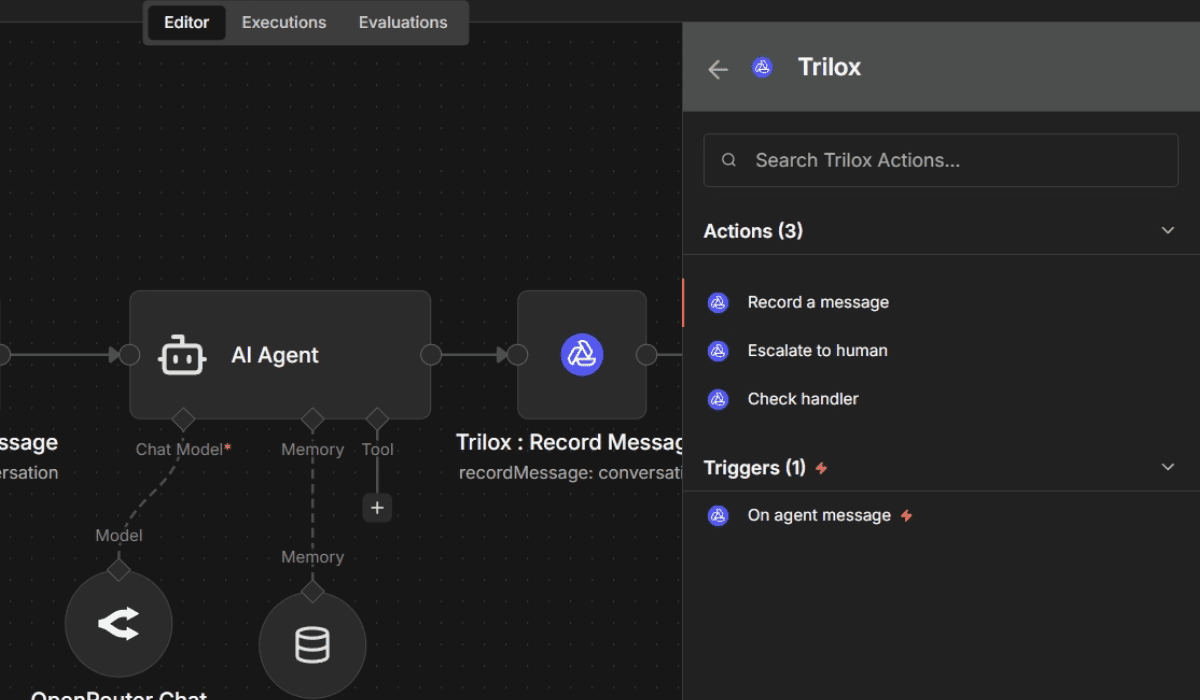
Record + Check Handler Flow
Every incoming message hits Record Message first (logs it to Trilox), then Check Handler (checks who's handling it). A Switch node routes to three paths:
- bot → No human assigned. Bot responds normally.
- awaiting_human → Conversation flagged. Waiting for someone to pick it up.
- assigned_human → A human is replying. Bot stays silent.
Record, check, route. That's the core pattern.
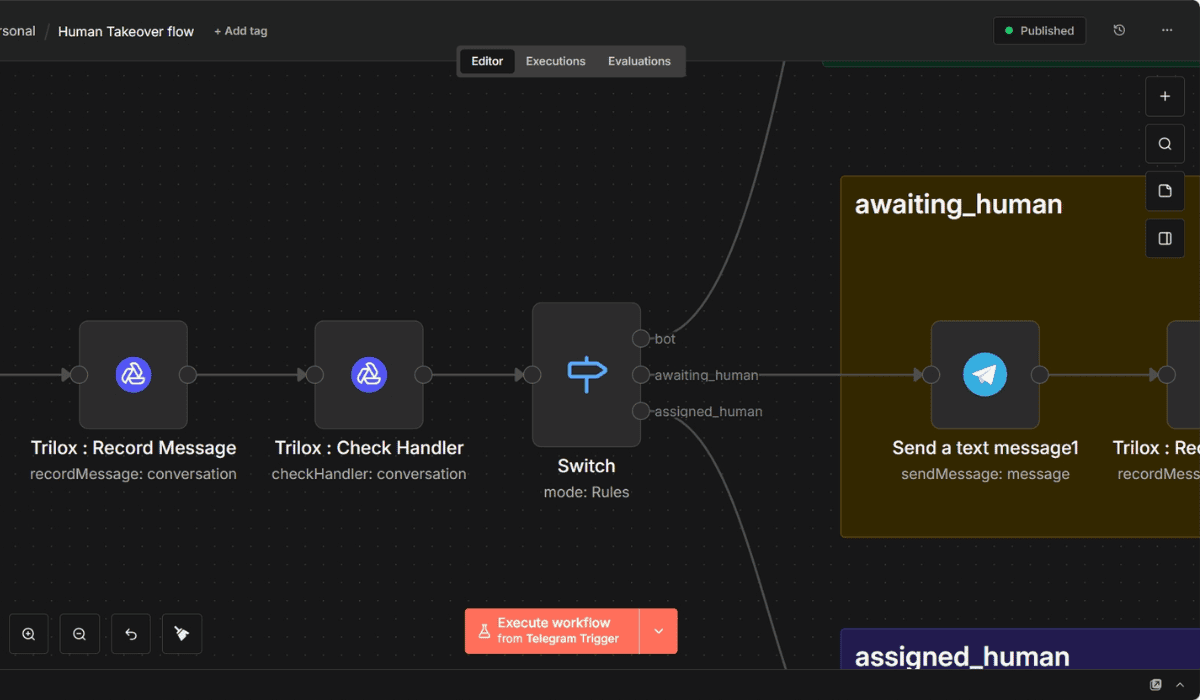
Escalate When Needed
Add your own logic to decide when the bot needs help. The workflow checks is_human_required — if true, it fires the Escalate to Human node. If false, business as usual.
You define the rules. Refund requests, complaints, questions outside the bot's scope — whatever triggers escalation in your use case.
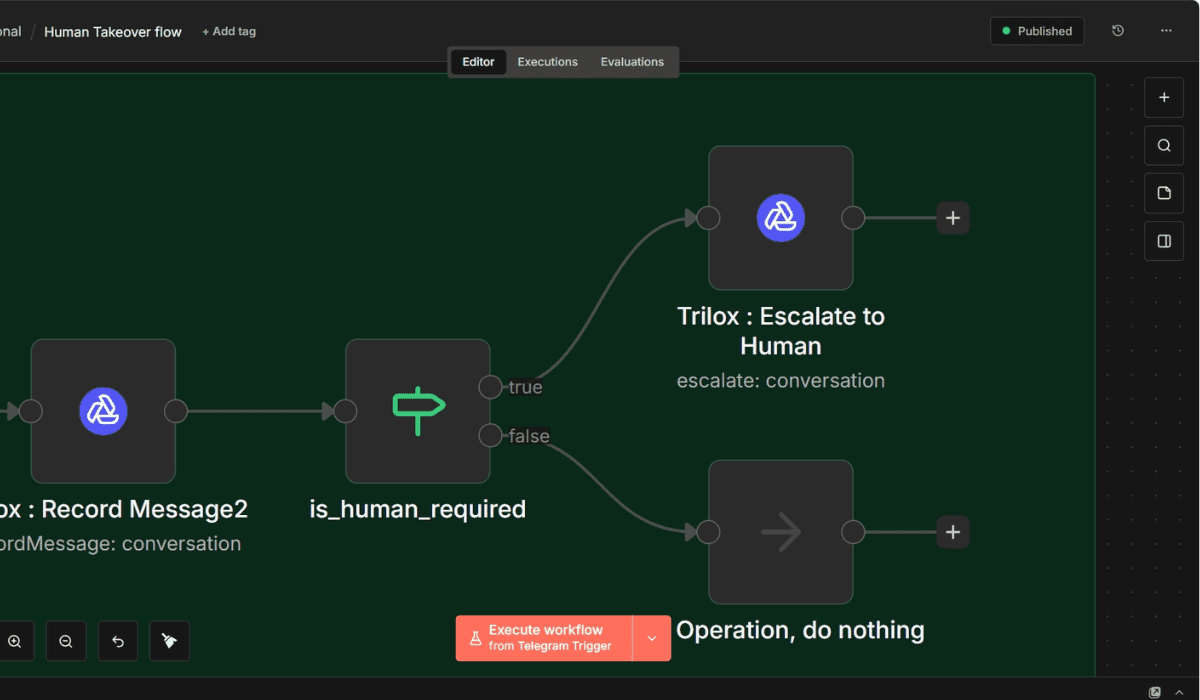
Reply From Trilox → Deliver to Customer
A separate n8n workflow handles the other direction. You type your reply in the Trilox inbox. The Trilox Trigger fires. A Switch node routes your message to the right channel — Telegram, WhatsApp, or whatever your customer is using — and delivers it.
The workflow title says it: “Human Takeover flow.”
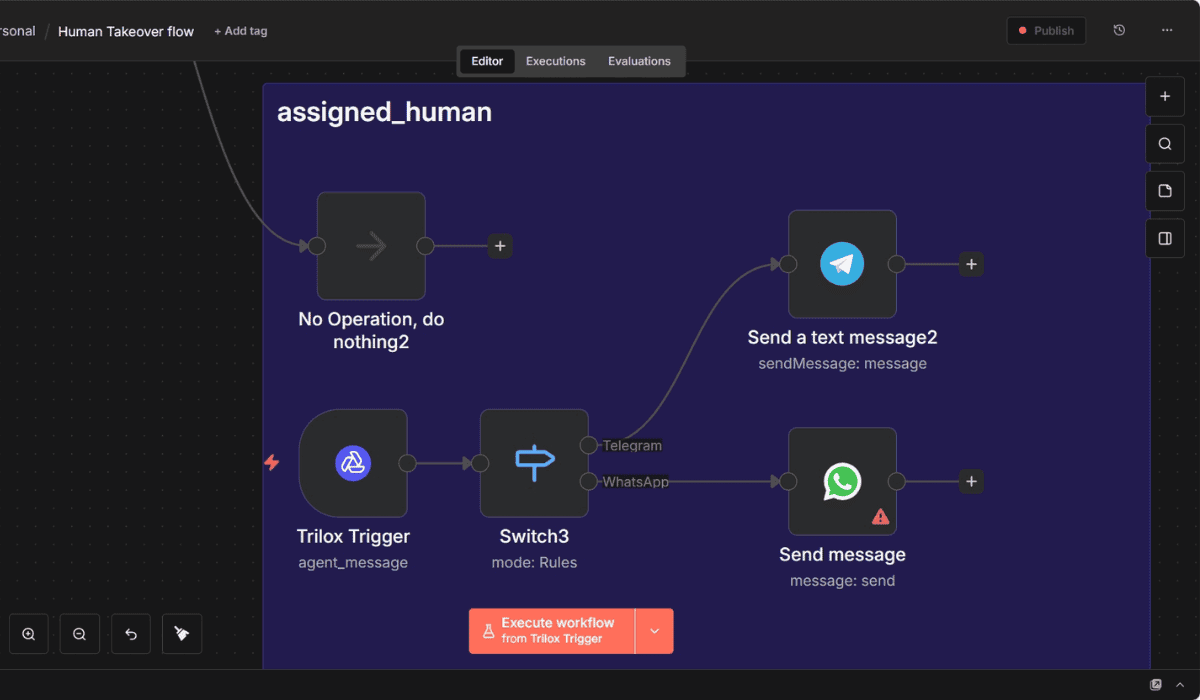
Connect with API Key
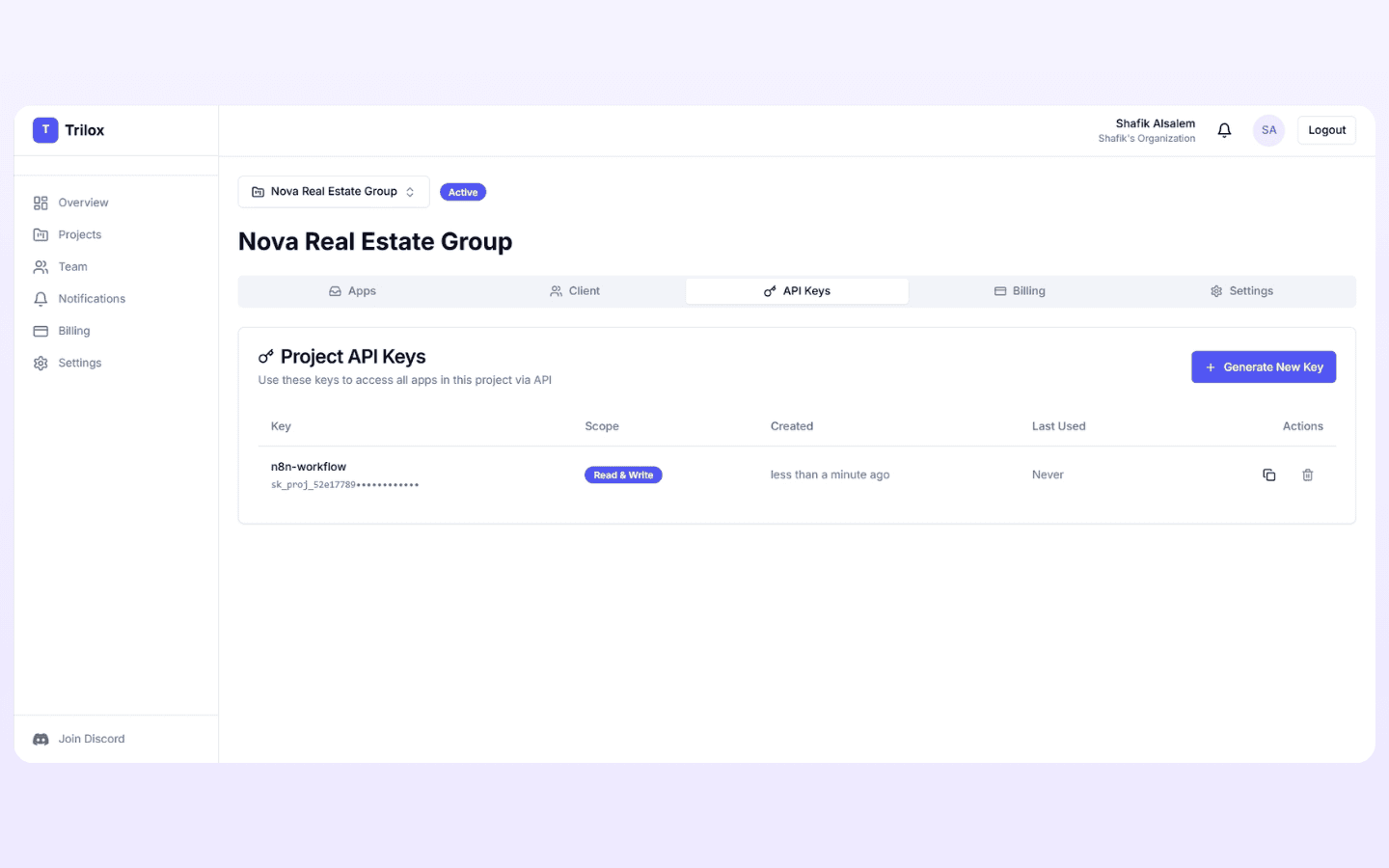
Generate an API key in your Trilox project. Add it to your n8n credentials. Select which inbox to record to.
One key. One credential. That's the entire connection.
Everything you need. Nothing you don't.
Human Takeover
Bot escalates. You take over. Bot goes silent. Hand back when done. No double replies, no confused customers.
Omnichannel Inbox
WhatsApp, Telegram, Messenger, Instagram, web widget, custom API — all conversations in one inbox, grouped by contact.
Client Dashboards
Each client gets their own login. Clean interface with only their inboxes. No API keys, no technical clutter.
Role-Based Permissions
Admin, Member, Viewer. Your client controls who can reply, who can manage, and who can only watch.
Multiple Inboxes
Support. Sales. Reservations. Each inbox has its own channels and conversations — all inside one project.
Real-Time Notifications
In-app, email, and sound alerts. Control volume, cooldown period, and which events trigger notifications.
One-Click Client Delivery
Project ready. Copy login URL. Send to client. They're live. Preview what they see before sharing.
Conversation History
Every message logged. See what your bot said. Find where it failed. Improve prompts with real conversation data.
Mobile Responsive
Monitor and reply from your phone. Same inbox, same features. No app required.
Every channel. One inbox.
Connect your chatbot to the platforms your customers actually use
Telegram
Messenger
n8n Chat
Web Widget
Custom API
One price per project. That's it.
Each client = one project = one price. No per-seat fees. No message limits on paid plans.
FREE
$0/ month
billed monthly
- 1,000 messages/month
- 1 inbox
- No client dashboard
- 0 client seats
Start Free
Perfect for testing
STARTER
$29/ month
billed monthly
- Unlimited messages
- 1 inbox
- Client dashboard included
- 1 client seat
Get Started
Per project
PRO
$69/ month
billed monthly
- Unlimited messages
- 3 inboxes
- Client dashboard included
- 5 client seats
- Priority support
Get Started
Per project
Each project is one client or one internal use case. Agencies: each of your clients = one project with its own subscription.
Unlimited messages subject to fair usage policy. Designed for normal business use.
$29/month and 5 minutes vs $2,000+ and 20 hours of custom dashboard development. Per client.
7-Day Money-Back Guarantee
No questions asked on paid plans
Cancel Anytime
No contracts, no hidden fees
Free Plan
No credit card required to start
Why I Built Trilox
I built this because I needed it.

I'm Shafik. I'm an industrial automation engineer — I teach PLCs and SCADA systems, and I use n8n for pretty much everything, including chatbots that handle student questions.
The bots worked. The monitoring didn't.
n8n is great at workflows. But execution logs weren't built for conversations. Clicking through them one by one, messages from different students mixed together — it's not a monitoring experience, it's an archaeology project.
Then one night I watched my bot give wrong information to a student. Live. I couldn't intervene. Couldn't correct it. Just sat there.
I started building Trilox the next morning.
I built it for myself first. Now it's for every n8n developer who's stared at execution logs and thought: there has to be a better way to watch over these conversations — and step in when it matters.
I reply to every message personally.
Your chatbots deserve a real inbox.
Monitor every conversation. Take over when bots fail. Give each client their own dashboard.
Built by an automation engineer, for n8n developers. Questions? [email protected]